
Higher-density, smarter live pricing drawer
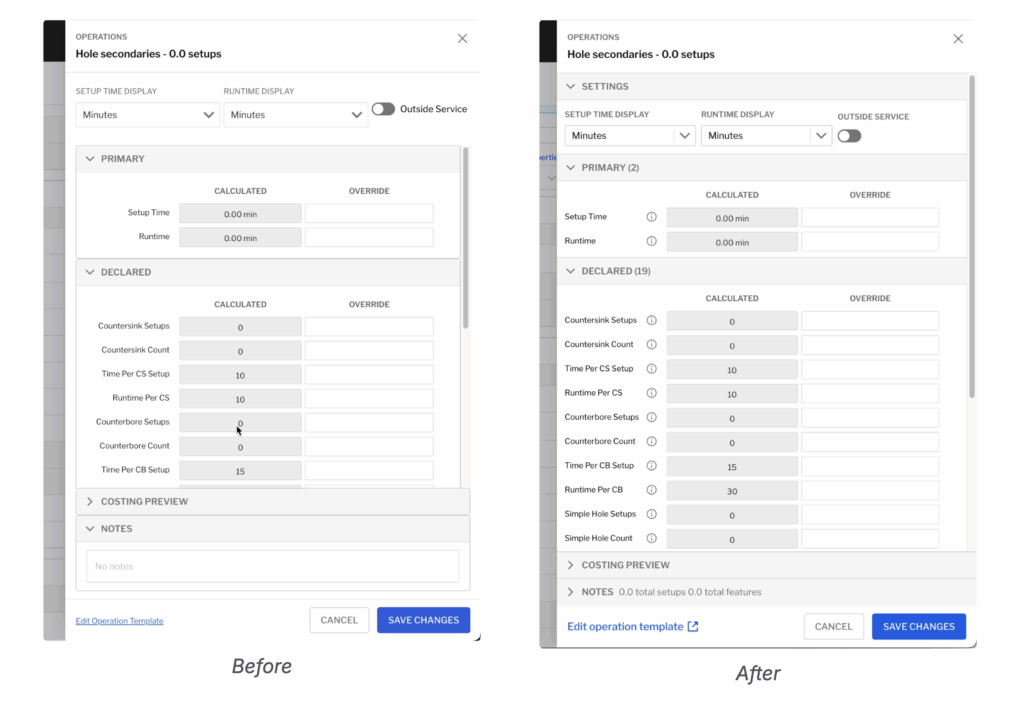
The live pricing drawer–where you view and override costing variables for operations, pricing items, and more–has been updated to increase data density, ensuring you can see more at once and move quickly.
The drawer also remembers more containers you leave open and will default them closed if you leave them that way–including settings and primary variables–and now includes the count of variables in each category, helping you know what you’re not seeing.
Operation names will now also update live in the drawer if your operation is configured to change names with overrides.
Parts per hour (& minute) runtime units
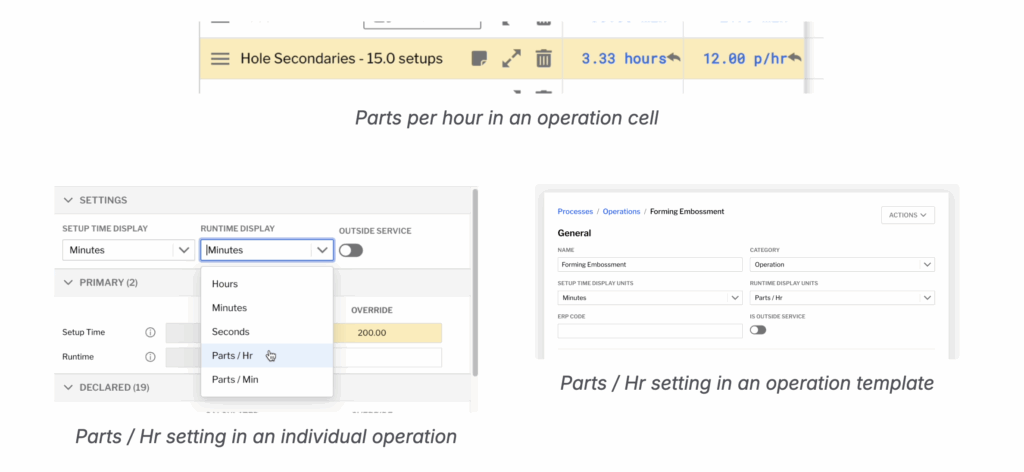
You can now enter operation runtime in Parts Per Hour or Parts Per Minute, both from the operations table and from the live pricing drawer.
If you want to always work in these units, you can change the default display units in your operation’s template; or if you want to change it as a one-off, select “runtime display” and pick a new option. Changing your display units will also now re-calculate your setup and runtime overrides.
Variable description & notes tooltips
Descriptions for variables configured in P3L will now also appear in the live pricing drawer, helping you train your team on costing even faster.

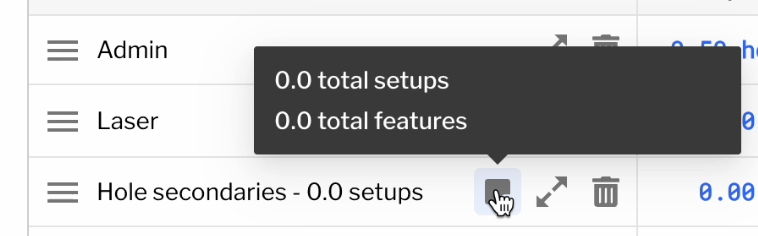
The notes tooltip has also been updated to preview the operation’s notes.
Programmatic operation notes
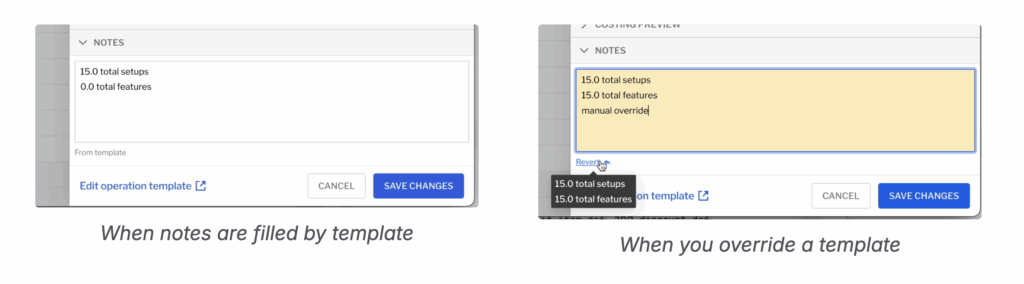
P3L authors can now configure operations to automatically fill in operation notes, including referencing variables from costing. Users can also override the template to take control.
Once configured for your operations, you can eliminate tedious data entry and ensure notes auto-populate to be filled downstream for your ERP, or have your ERP templates match inside of Paperless Parts.
Reach out to [email protected] to get this configured for your account or refer to our P3L documentation if you configure your own account.
More P3L properties & utilities
P3L for operations, pricing items, discounts, and add-ons has been expanded with more functionality, including referencing export-controlled status and template definition names.
See below for a complete list.
-
set_notes programmatically
-
list.join() utility for easily creating multiline notes
-
list.unique(lambda x: x) utility for easier identification of unique features
-
access to the name property for op_def, add_on_def, profit_item_def, and discount_def
-
access to line_item.is_export_controlled from all P3L modules
-
P3L shortcuts and editor documentation for all the above