
What did we build?
This December, we’re introducing two updates to make working with orders faster and more efficient in Paperless Parts.
Faster Order Facilitation
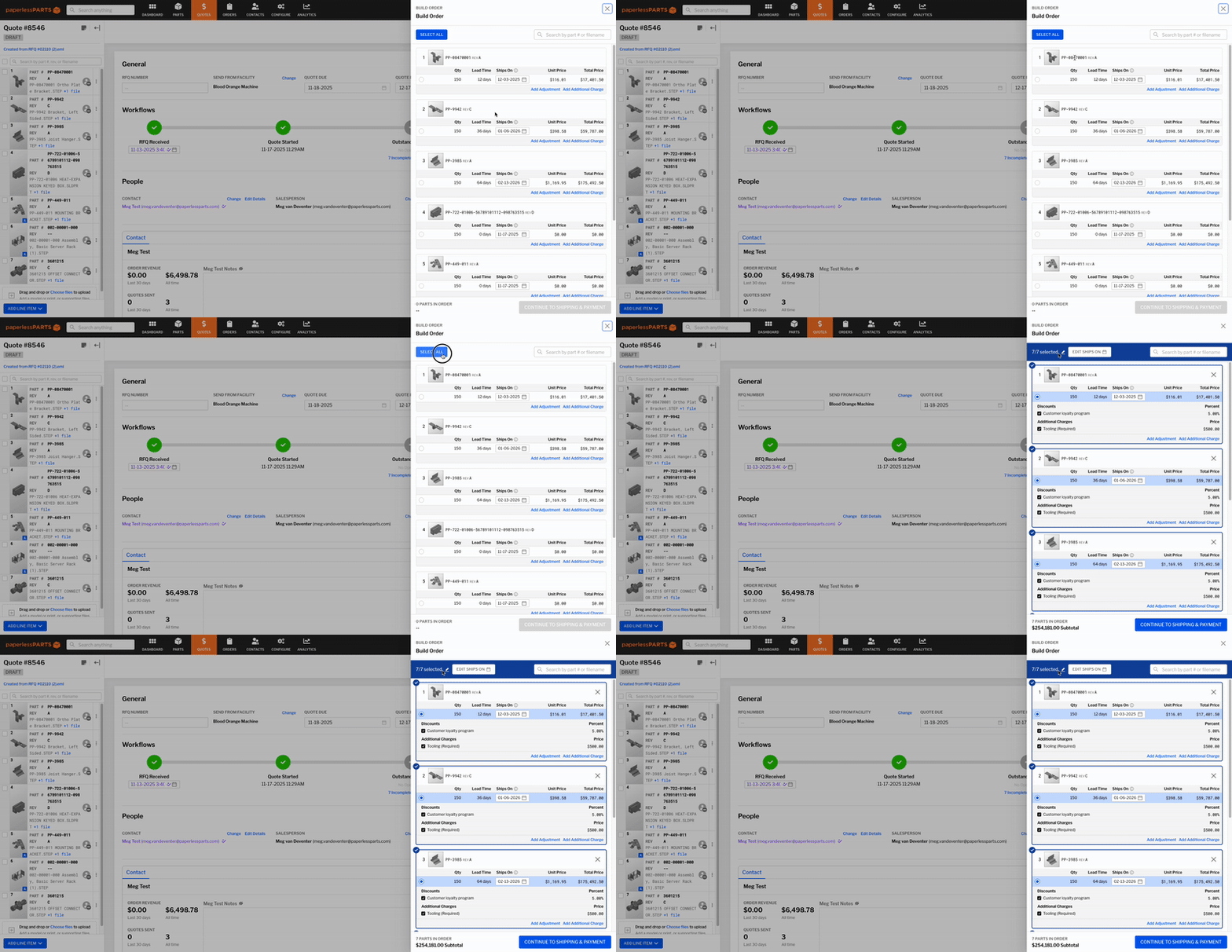
We’ve redesigned the order facilitation drawer with several new capabilities:
-
Flexible Lead Time Input: Specify your lead time by choosing a “Ships on” date.
-
Bulk Line Item Selection: Use the new “Select all” option to quickly select all line items when quantities are uniform or each item has a quantity of one.
-
Quick Search: Easily find the right parts in large quote packages by searching line items by part number or file name.
-
Drag and Drop PO Upload: Simplify uploading PO files with a new drag and drop feature.
-
New “Review” Step: A final step now provides a clear summary of all items in the order before completion.
Edit Existing Orders
Need to make a change after an order has been created? You can now do so directly within Paperless Parts by navigating to an existing order and selecting Actions > Edit Order. This opens the facilitation drawer pre-populated with the order’s information.
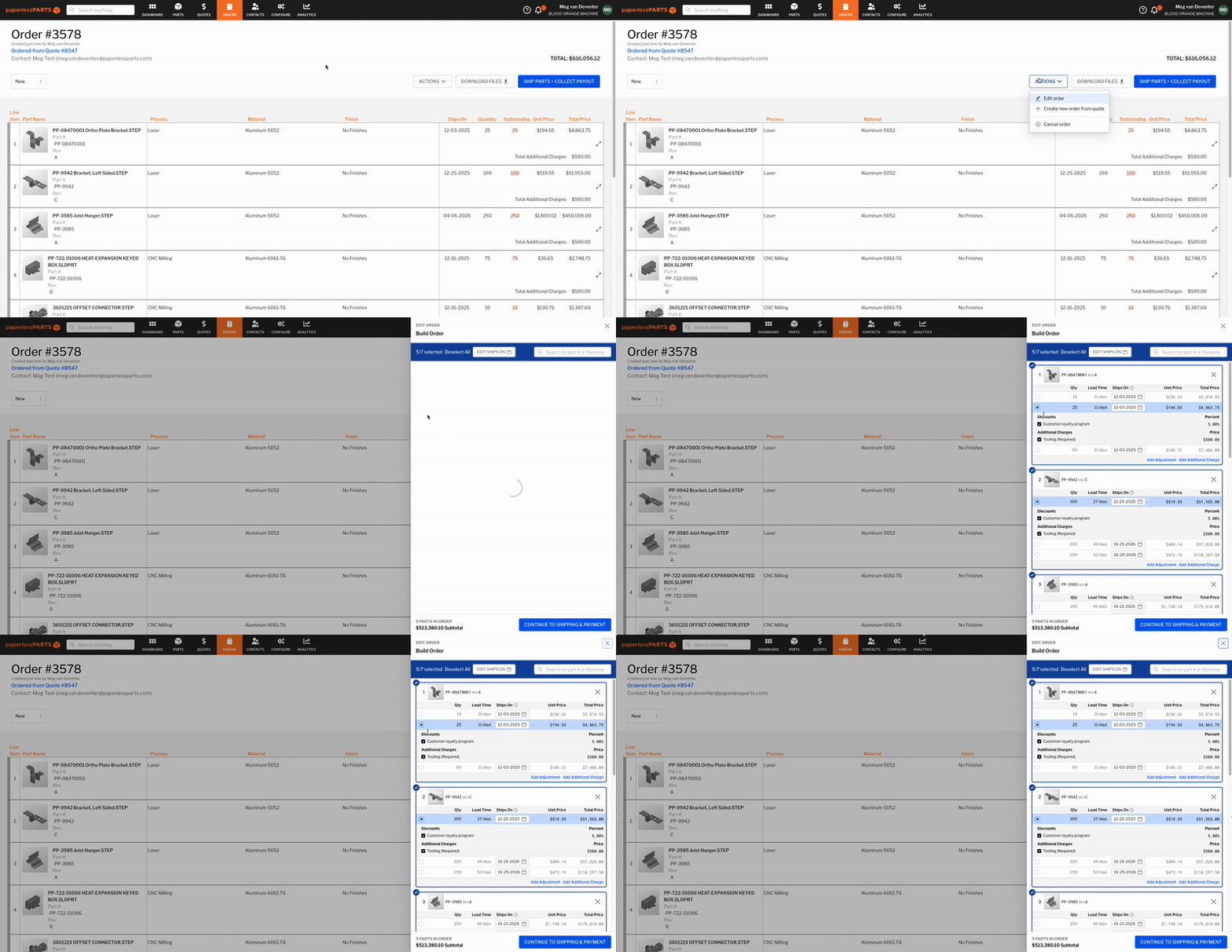
Within this drawer, you can select new line items, adjust quantities, or update shipping/billing details, and click “Complete Order” to save your edits. If you want to alert your buyer that changes were made to their order, select “Notify customer of update to order” to send an “Order updated” email.
We’ve also introduced a high-level history to each order, allowing you to see how an order was created as well as who made edits and when.
Note that this action is not available for orders paid by credit card and orders with shipments. If your shop has any integrations, note that editing an order in Paperless will not automatically update any corresponding record in your integrated ERP or any other system.
When can I use it?
-
Early December 2025: Available as an opt-in feature under Company Settings.
-
Early January 2026: Turned on for all users.