
We’re rolling out a set of improvements around finalizing and sending quotes out of Paperless Parts, designed to streamline one of the most important aspects of the quoting process.
What’s new:
More control over who your quotes come from. You can now set the “From” address for outgoing quotes sent from Paperless Parts, selecting from the team member finalizing the quote or the assigned estimator/salesperson. This can be set as a default at the user-group level and changed on a per-quote basis.
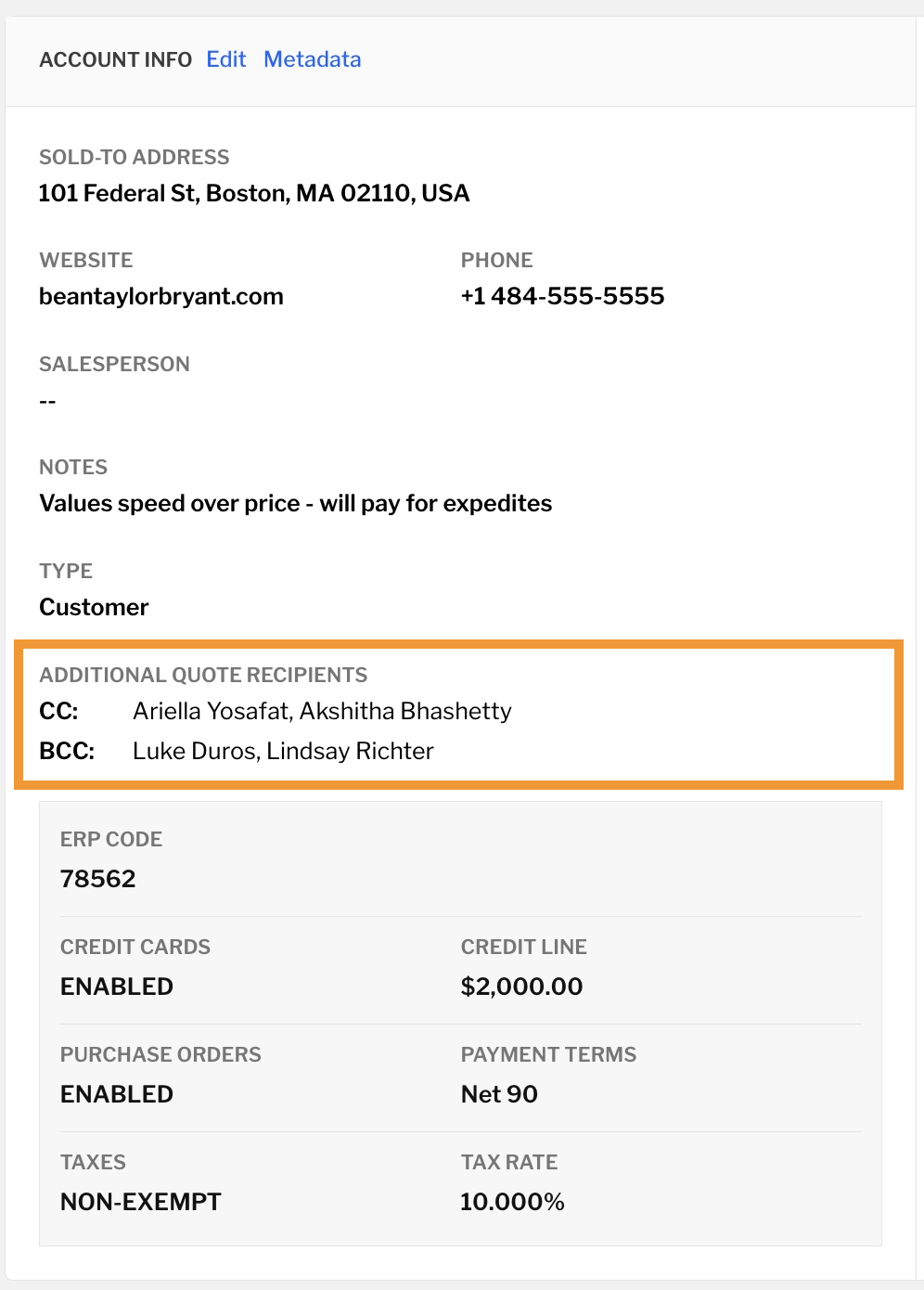
Set default CCs and BCCs, including per account. Need the same people looped in every time you quote for a particular customer? You can now set default CC and BCC recipients on the Account page, in addition to user-group-level defaults. Pick from team members or any contact associated with the account.
“Mark as Sent” and “Finalize Quote” are now one step. If you typically skip emailing through Paperless Parts and just mark a quote as sent and download the PDF, you can now do that from the Finalize Quote modal by deselecting “Email quote to customer” and checking “Download Quote PDF.” Clicking “Finalize & Send” will mark the quote as sent and kick off a download of the Quote PDF.
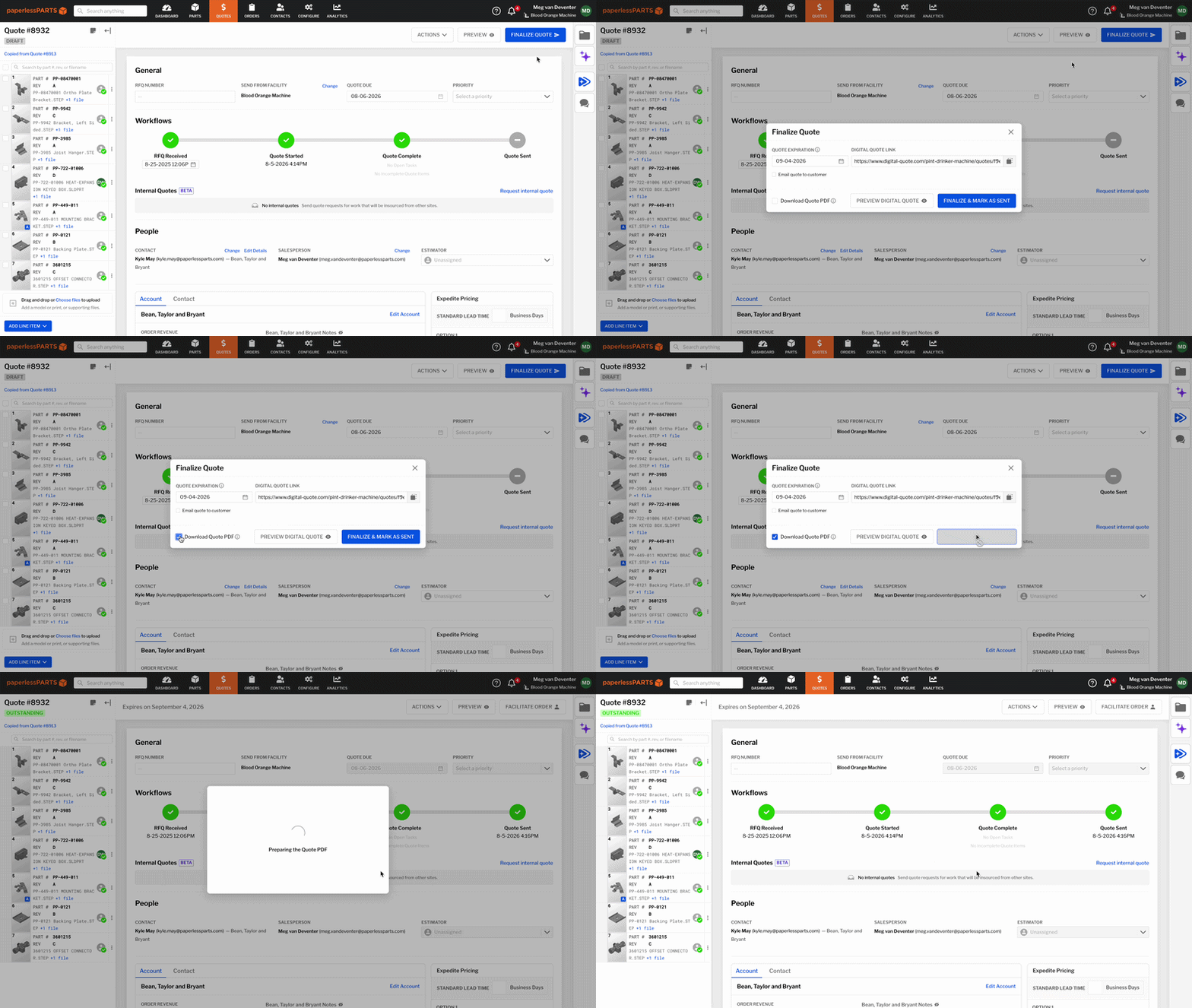
Smarter expiration dates. Expiration Date now lives at the top of the Finalize Quote modal and is calculated from when you actually send the quote – not when you first created it – ensuring your customer has exactly the right amount of time to review a quote before the pricing needs to be refreshed.
Send your buyer a PDF or a link to the Digital Quote. If your buyers prefer to review a PDF version of the quote rather than the Digital Quote, you can now finalize and send quotes from Paperless without linking to the Digital Quote in the body of the email (provided the quote PDF is attached).
These updates will be available to all users on August 18, 2026.